Opportunities
On this page
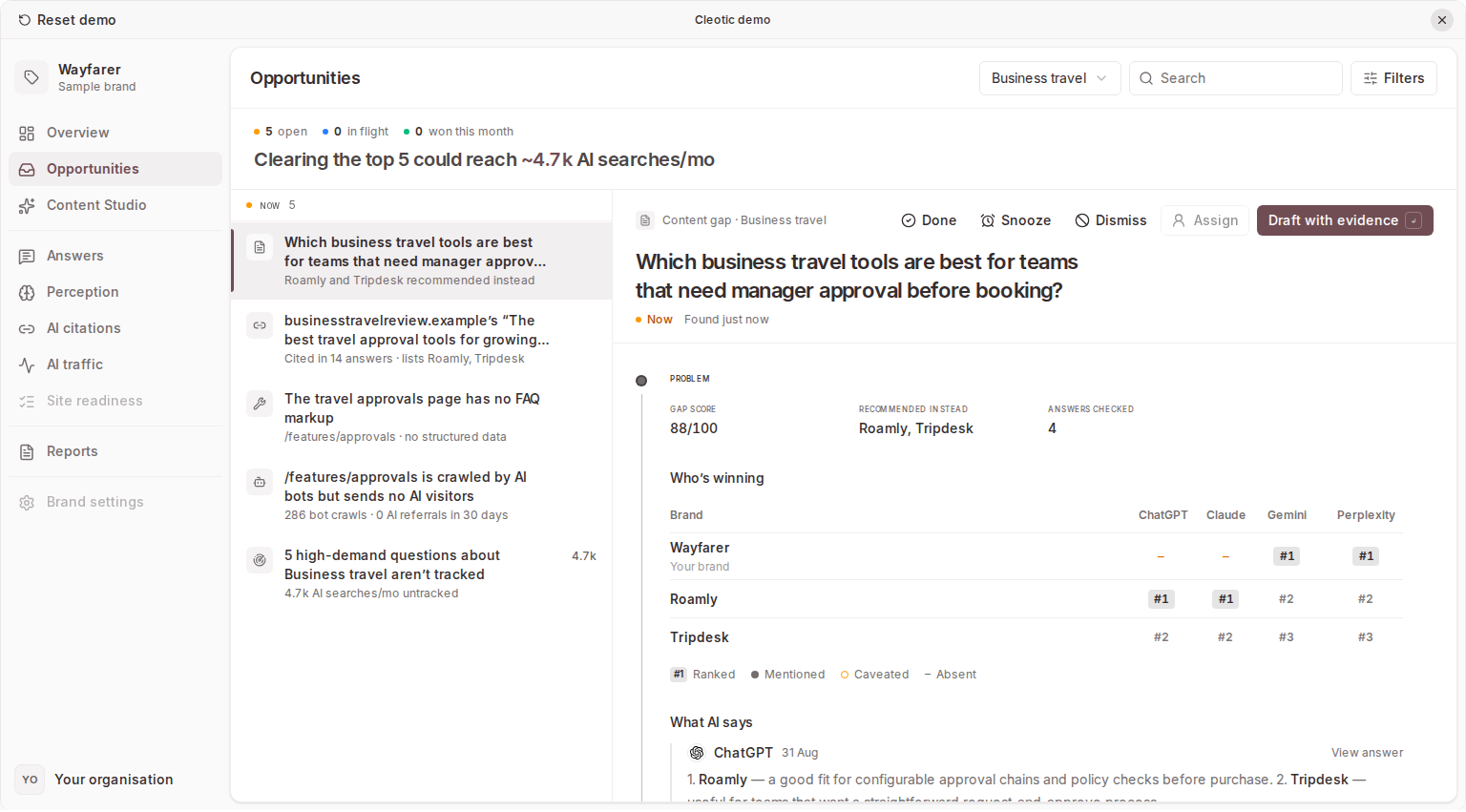
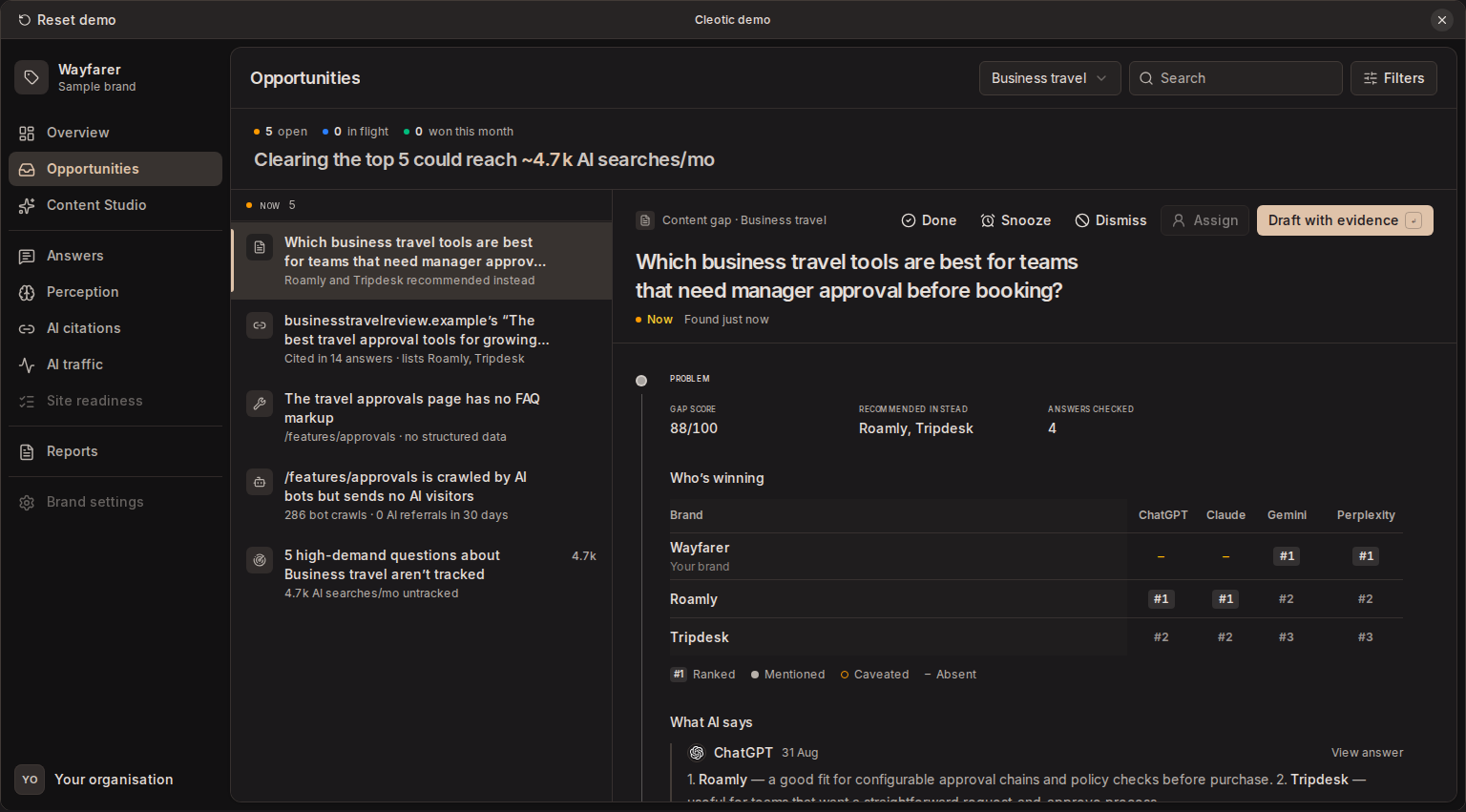
Opportunities is the brand's action inbox. It turns gaps in your evidence into ranked work, suggests the next step for each one, and tracks what happens after you act. Open Opportunities in the brand sidebar.
The list sits on the left. Select an opportunity to open its evidence, play, and history on the right.
Stages
Every opportunity moves through four stages.
| Stage | What it means |
|---|---|
| Now | Open work, highest score first |
| In flight | Work has started, such as a page or an outreach draft |
| Watching | The play has shipped and Cleotic is watching the evidence |
| Won | Someone on your team has called it won |
Cleotic moves opportunities for you as the work changes.
- The first page for a content gap moves it to In flight. Starting a source gap's checklist or outreach draft does the same.
- Publishing a page, marking a fix shipped, marking a source pitched, marking a page optimised, or tracking questions moves it to Watching. A page counts as published when you mark it published or when Cleotic first sees its CMS publication live.
- If the gap reappears while the opportunity is Watching or Won, it goes back to Now. So does a readiness fix that still fails a scan started after you shipped it.
You can also move work yourself. Done moves an item from Now or In flight to Watching. Won is only ever set by a person.
The header counts open, in-flight, and won-this-month items. When Watching items have closed their gap, it also shows ready to call won. Select that count to show only those items.
Snooze, dismiss, and undo
Snooze hides an item until 9:00 am tomorrow or next Monday. Dismiss removes it from the active list, with an optional reason. Switch the view from Active to Snoozed or Dismissed to find them again, then use Restore.
Most changes show Undo for a few seconds.
Find and select work
Use Search, the segment and type filters, and Mine to narrow the list. Tick several items, or press x, to act on them together. The bulk bar offers Done, Snooze, Dismiss, and Assign.
Kinds of opportunity
Content gap
A monitored question where competitors are mentioned or recommended and your primary brand is not. Each question is one item, so an answer gap and a recommendation gap for the same question share one opportunity.
The gap considers all the recent answers to the question, so one answer without your brand doesn't open a gap on its own, and a question where no competitor is named isn't a gap. Judge each question's relevance too: a question explicitly about a competitor may not be a useful content target.
Readiness finding
A failing or warning check from the latest complete Site readiness scan. Pages of a finding sent from Site readiness become items of their own, named after their page.
Source gap
A third-party page that AI answers cite, which lists at least one competitor but not your brand. The page needs at least three citing answers and a signal score of 30 or more.
Traffic gap
A page on your tracked site that AI bots crawled at least 20 times in the last 30 days but that received two or fewer AI referrals. Traffic gaps need your site connected.
Coverage gap
High-demand questions from Google's "People also ask" results that none of a segment's prompts asks. A question qualifies when it appeared in the last 90 days and has at least 50 monthly AI searches. Each segment has at most one coverage gap.
Read an opportunity
Each opportunity shows the problem, the play, and the proof.
Evidence
Content gaps show three evidence blocks.
- Who's winning. Your brand and up to six competitors against each AI model, from its latest answer. Each cell shows whether the brand is ranked, recommended, mentioned, caveated, or absent.
- What AI says. Up to three verbatim excerpts. View answer opens the full response.
- Where it learns. The most-cited pages, marked as yours, a competitor's, or third-party.
A weekly trend shows how often answers to the question mention your brand, or recommend it for a recommendation gap. A Published marker shows when the first page went live.
Other kinds show the facts behind them, such as citations and competitors listed for a source gap, or crawls and referrals for a traffic gap.
Score
A content gap's score combines three factors, each shown as a fact.
- Demand. Monthly AI searches for the question.
- Gap. How your brand fares across models, such as "Absent in 3 of 4 models".
- Winnable. How many of the top cited pages aren't owned by competitors.
The factors carry equal weight, so one weak factor pulls the score down. An unknown factor counts as neutral.
Other kinds are scored on their own evidence. Readiness failures rank above warnings, then by recoverable points. Source gaps use the page's signal score, citations, and demand. Traffic gaps use crawls, the page's other visits, and missing referrals. Coverage gaps use the questions' combined demand.
The score orders the list. It isn't a forecast of traffic, revenue, or the chance of winning.
Work an opportunity
The play shows one main action. Click it or press Enter.
| Kind | Play |
|---|---|
| Content gap | Draft with evidence opens the engines' answers in Content Studio, where Write this starts the page. A suggestion under Or draft starts the page with its title. |
| Readiness finding | Show the fix reveals the suggested change to copy. Deploy it, then select Mark shipped. Verify fix re-checks the affected pages now. |
| Source gap | Work through the checklist, then select Draft outreach. Copy the email or open it in your email client, send it yourself, and select Mark pitched. |
| Traffic gap | Review the suggested changes and linked readiness findings for the page, then select Mark optimised. |
| Coverage gap | Untick any questions you don't want, then select Track N questions. |
Pages started this way are planned and drafted from the opportunity's evidence, including the answer excerpts, the engines' searches and the top cited pages. See Content Studio.
Cleotic never sends outreach emails. Outreach drafts use your Content Studio generation allowance, like page drafts, and aren't included on Starter.
Tracking questions adds them as prompts to the segment. Your plan's prompt limit applies. You can track more of the questions while the coverage gap is Watching.
Watch and call it won
Once a play ships, the proof shows what has changed since.
- Content gaps compare the same rate for the 28 days before the play shipped and the period since, each with its likely range. Too early to tell means the difference is still within normal variation; it counts as a change once it is larger, and once each period rests on at least 10 answers. Once the piece written for the gap is live, the proof also shows the piece's own runs: how many of the latest answers name you and how many link the page, counted separately, and the first citation's words. Open the piece's timeline goes to its loop.
- Traffic gaps compare AI visits and AI bot crawls to the page in the 28 days before and after.
- Readiness findings show Awaiting the next scan until a later scan or Verify fix passes the check. A verify that still finds the issue moves the item back to Now.
- Source gaps watch for your brand on the page.
The timeline records each change, who made it, and milestones such as first mention, first recommendation, the page's first citation, gap closed, fix verified, and the page being live at its URL.
When the gap closes, the opportunity suggests Mark as won?. Choose Mark won or Keep watching.
| Kind | Suggested when |
|---|---|
| Content gap | The latest answers no longer show the gap |
| Readiness finding | A later scan or Verify fix confirms the fix |
| Source gap | AI answers cite the page with your brand |
| Traffic gap | The page gets at least three AI referrals in the 14 days since it was optimised |
| Coverage gap | Every high-demand question is tracked |
The proof shows change over time, not its cause. AI answers vary between runs, which the likely ranges allow for, and other changes can move the same numbers.
Work as a team
Use Assign to give an opportunity to an organisation member, and Mine to see your own. Each opportunity has its own link, so you can copy the address and share it.
Every opportunity has comments. They're plain text and appear in the timeline. Press c to write one and Ctrl+Enter or Cmd+Enter to post. Authors can edit and delete their own comments. Admins and owners can delete any comment.
Keyboard shortcuts
| Key | Action |
|---|---|
j / k | Next or previous opportunity |
Enter | Run the play |
e | Done, or Mark won for a Watching item |
s | Snooze until next week |
# | Dismiss |
x | Select for bulk actions |
/ | Search |
c | Comment |
Esc | Clear the selection |
With items selected, e, s, and # act on all of them. Shortcuts pause while you type.
Why don't I see an opportunity?
The evidence is recent. Opportunities refreshes after prompt runs and setup changes. If it hasn't refreshed for a day, opening the page queues a refresh.
The segment or prompt is paused. Content gaps from paused prompts or segments leave the list until you resume them. Replacing a prompt's wording pauses the old version.
Site tracking isn't active. Traffic gaps need an active tracking site and pause while there isn't one.
The list is full. Cleotic adds new source gaps and traffic gaps, strongest first, only while fewer than 10 of each are open. More appear as others are won, dismissed, or resolved.
Google results aren't captured. Coverage gaps come from the segment's Google AI Overviews or Google AI Mode results. Check the segment coverage and your plan, then wait for its runs.
The gap has closed. An item in Now leaves the list when its gap closes. Check Snoozed and Dismissed as well.
Related
Updated