Content Studio
On this page
Open Content Studio in the brand sidebar to write pages that answer the questions AI answers without you, send them to your CMS and watch what the answers do once they're live.
The idea
Monitoring tells you where you are missing from AI conversations. Opportunities tells you what to prioritise and why. Content Studio writes the page for a question, sends it to your CMS, and measures what the answers do afterwards.
Every page starts from a question and takes four steps, shown in the page bar with the one next action beside them:
- Question. The question and what the engines answer today.
- Facts. Three questions only your brand can answer.
- Draft. The outline, then the page written section by section from the evidence.
- Publish. Checks that stop a bot reading the page, then the send to your CMS.
Once the page has an outline, the top of the page shows the engine's answer today beside how it might answer with your page. Once the page is live, its results take that place.
A brand's first page opens full-screen, one step at a time, with the next step as the one button at the bottom. Open the full page leaves it; the brand's later pages open as the full page.
The home
The home starts pages and keeps track of them:
- AI answers these without you. The open content gaps no page answers yet, strongest first, each with the brands the answers name instead. Write this starts the page. The rest wait in Opportunities.
- Your own question. Type any question your customers ask and select Write this. A page from a typed question has no captured answers behind it, so its questions and outline rest on your facts.
- Three lanes. In progress, Live and Needs a refresh. Each card says what the page needs next, such as your answers, the draft or claims to re-verify. The Live lane counts how many answers name you and how many cite your pages.
Filter by segment in the page bar. The page bar also shows how many pages are left this month.
The question
A page from a content gap opens on the engines' answers:
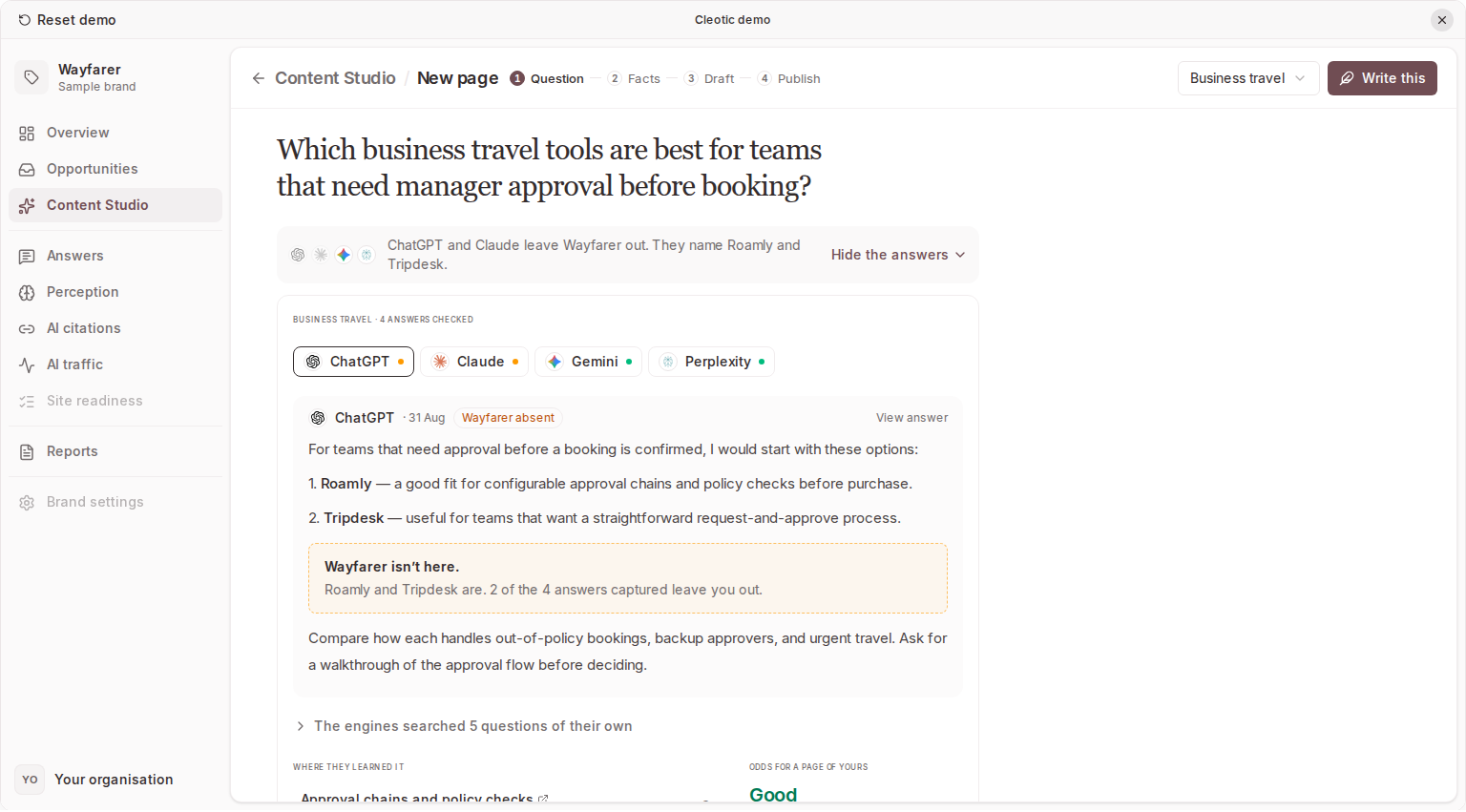
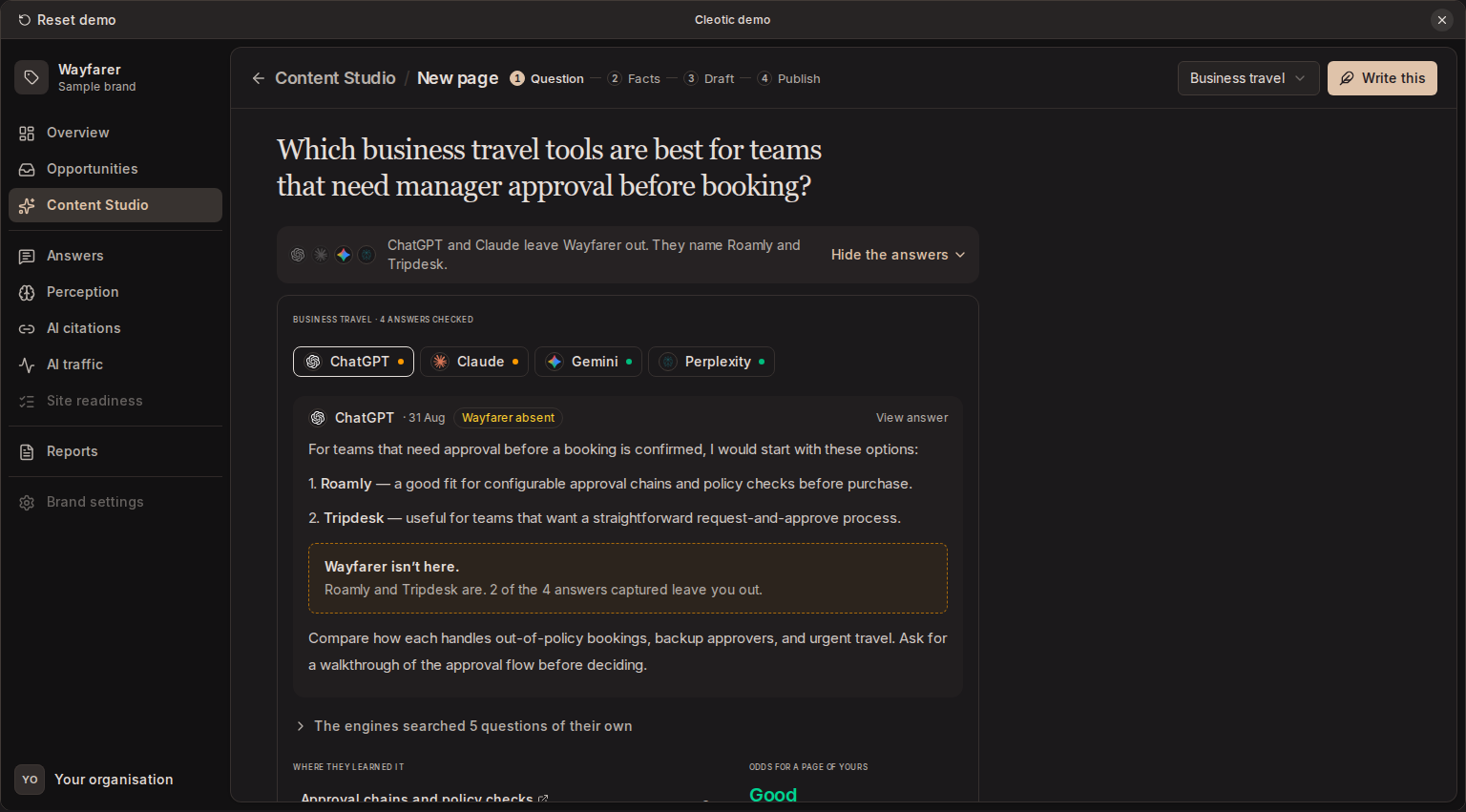
- Each engine's latest answer, one tab per tracked engine. Your brand is highlighted where it's named. Where it isn't, a marked slot shows its missing place and how many captured answers leave you out.
- The engines' own searches. The searches each tracked engine ran while writing its latest answer to the question, with the engines that ran each one. They come with your regular collection, so they update whenever the question is collected and don't use your allowance. Gemini reports how many searches it ran but not what it searched for. Perplexity, Google AI Overviews, and Google AI Mode don't report their searches.
- Where they learned it. The pages the answers cite, with owners and citation counts. With website tracking, your pages show AI crawler visits.
- Odds for a page of yours. Good, Fair or Long shot, from fixed rules with the reasons shown. It's a judgement, not a forecast.
Once the page is started, the answers fold into one line under the title. Once it has an outline with a projection, that line becomes the pair: Today, the engine's captured answer, and With your page, labelled Projection, not a promise.
Facts and the outline
Engines name a brand when a page says something definite they can quote: a number, a process, a named example. Content Studio asks three questions only your brand can answer. Type an answer and press Enter, or skip a question. Skip the rest skips the others. Your answers become facts marked as yours, and nothing else on the page is presented as yours.
The outline lists the page's sections. Each is a question heading, with the engines whose searches it answers and any fact of yours it uses. Move sections, cut one (and restore it), or add your own. The outline proposes a format with its reason. When you answered at least one question, the top of the page shows how an engine might answer once the page exists.
Write the draft writes the page in the order you set, without the cut sections.
The draft
Sections appear as they're written, each only from its own question, your facts, the pages it draws on and a few of the engines' answers. Every checkable sentence is checked against that evidence. Hover one to see its source.
Notes in the margin raise what needs you, beside the sentence or section it's about, and nothing when nothing does:
- No source for this: a claim nothing supports. Find a source on the web, Say it yourself (it becomes a fact of yours), or Cut it. Unsourced claims are flagged, never removed for you.
- A failing check: for example, a heading that isn't a question, or no number early on. Each has its fix.
- Likely to be quoted: once you preview the page in AI answers, the sentence an engine would lift.
The page bar counts the notes to fix. Edit a section in place, or use Ask for a change under the draft: say what to change, such as "shorter" or "add an example", and the section you last clicked is rewritten. The bar names the section, and you can pick another. A request changes that section only, and Undo puts back the version before it.
The More menu holds:
- Preview in AI answers: each tracked engine answers the question once with the draft among its sources. It's labelled Synthetic: a model's rehearsal, never a captured answer. Google's answer surfaces are rehearsed on Gemini.
- History: every AI pass and every edit. Compare an earlier version paragraph by paragraph, or Restore it. Nothing is deleted.
- Copy Markdown and Delete page.
Publish
Publish opens the checks a bot runs on your site, failing checks first:
- Served as HTML: the text is in the page source, not built by JavaScript.
- Answer bots allowed: your robots.txt lets Googlebot, OAI-SearchBot, Claude-SearchBot and PerplexityBot read the page. Fix in Site opens your site settings.
- Visible date and dateModified, one canonical and no redirect chain, and AI images labelled (when the send attaches one) are read from the live page after you publish.
- All claims verified: Show me takes you to the first note to fix.
The send waits for failing checks; Send anyway sends regardless. The send is the usual CMS delivery: a draft, which your team publishes in the CMS. Without a CMS, copy the Markdown and Mark published.
Results
Once the page is live (Cleotic sees its CMS page live, or you mark it published), its question is asked again on up to four of your tracked engines with web search on: three times a day for 45 days, then daily, up to 180 days. Two things are counted apart:
- Named: the answer names your brand in its text.
- Cited: the page's address is among the answer's citations. A page can be cited without being named.
The results at the top of the page show the latest count beside the same question's captured answers in the four weeks before it went live, and a timeline built only from what was recorded: going live, each AI crawler's first fetch (with website tracking), each engine's first mention and first citation, and the refresh. The sentence an engine quoted is marked in the draft.
- Refresh: citations fade in about a month, so six weeks after going live the page lists the claims with a number or date to re-verify, and moves to Needs a refresh. Mark refreshed sets the next refresh six weeks out; Snooze a week waits.
- Share: draft a short update for a client or your team from the recorded events, then copy it or open it as an email. Also make turns the page into a LinkedIn post, an FAQ block, a video script or a comparison table, made only from its sourced sentences. Cleotic never posts or sends them.
A page marked published by hand has no address, so only mentions count until you add where it's live. The results' runs don't use your allowance.
Pages from the old brief form
Pages written from the brief form before pages had these steps open read-only: their content, results and delivery, with Publish, Copy Markdown and Delete page. One never written can start again with Write this.
Brand voice and access
Every draft follows your brand voice: its tone and guidelines, read at drafting time.
Drafting depends on your plan. Every plan can start pages, answer their questions and see the outline; on Starter the questions and outline are simpler, without the engines' evidence. A page counts once against the monthly allowance, when its first draft starts; rewriting, finding sources and checks are free. The allowance is shared with outreach drafts for source gaps. See Plans and usage.
Related
- Opportunities. Where content gaps are prioritised
- Brand voice. The tone and guidelines every draft follows
- CMS delivery and publication
Updated